> ## Documentation Index
> Fetch the complete documentation index at: https://superwhisper.com/docs/llms.txt
> Use this file to discover all available pages before exploring further.
# App Store Activation
> How to Fix failed Appstore Activation.
This guide applies only to users who purchased a Superwhisper subscription through the App Store on an iOS device.
## Restoring Your Superwhisper Subscription
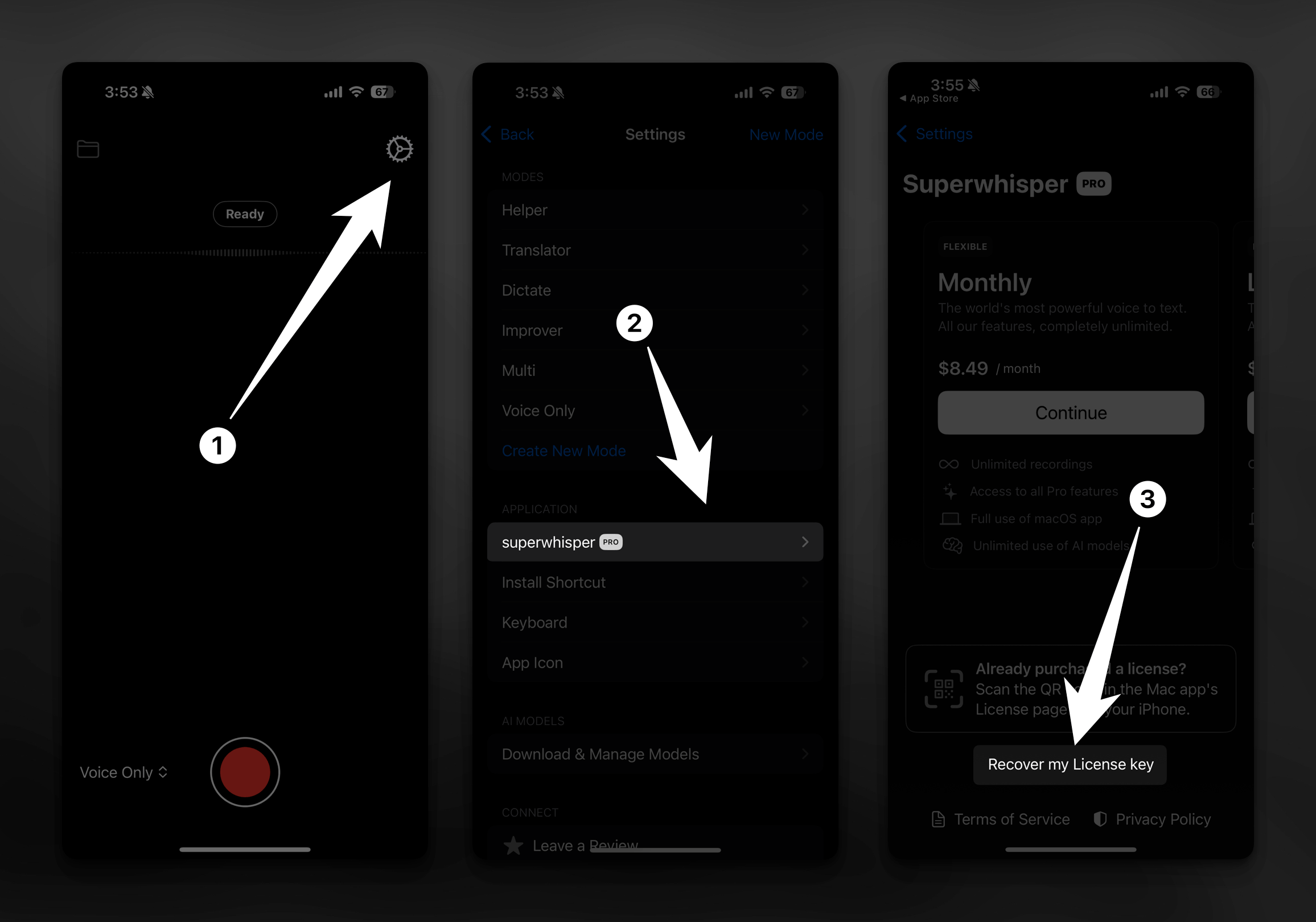
Occasionally, the App Store may fail to properly activate your Superwhisper iOS app. Follow these steps to resolve the issue:
Launch SuperWhisper on your iPhone and tap the gear icon located in the top-right corner of the screen.
Navigate to the "Superwhisper Pro" tab and tap to open it.
Tap the "Recover my License Key" button. This should reactivate your subscription.