> ## Documentation Index
> Fetch the complete documentation index at: https://superwhisper.com/docs/llms.txt
> Use this file to discover all available pages before exploring further.
# Logs, Clean Uninstall, and Reporting Bugs
> Enable Superwhisper error logging, find your files and logs, uninstall cleanly on macOS and Windows, and report bugs effectively.
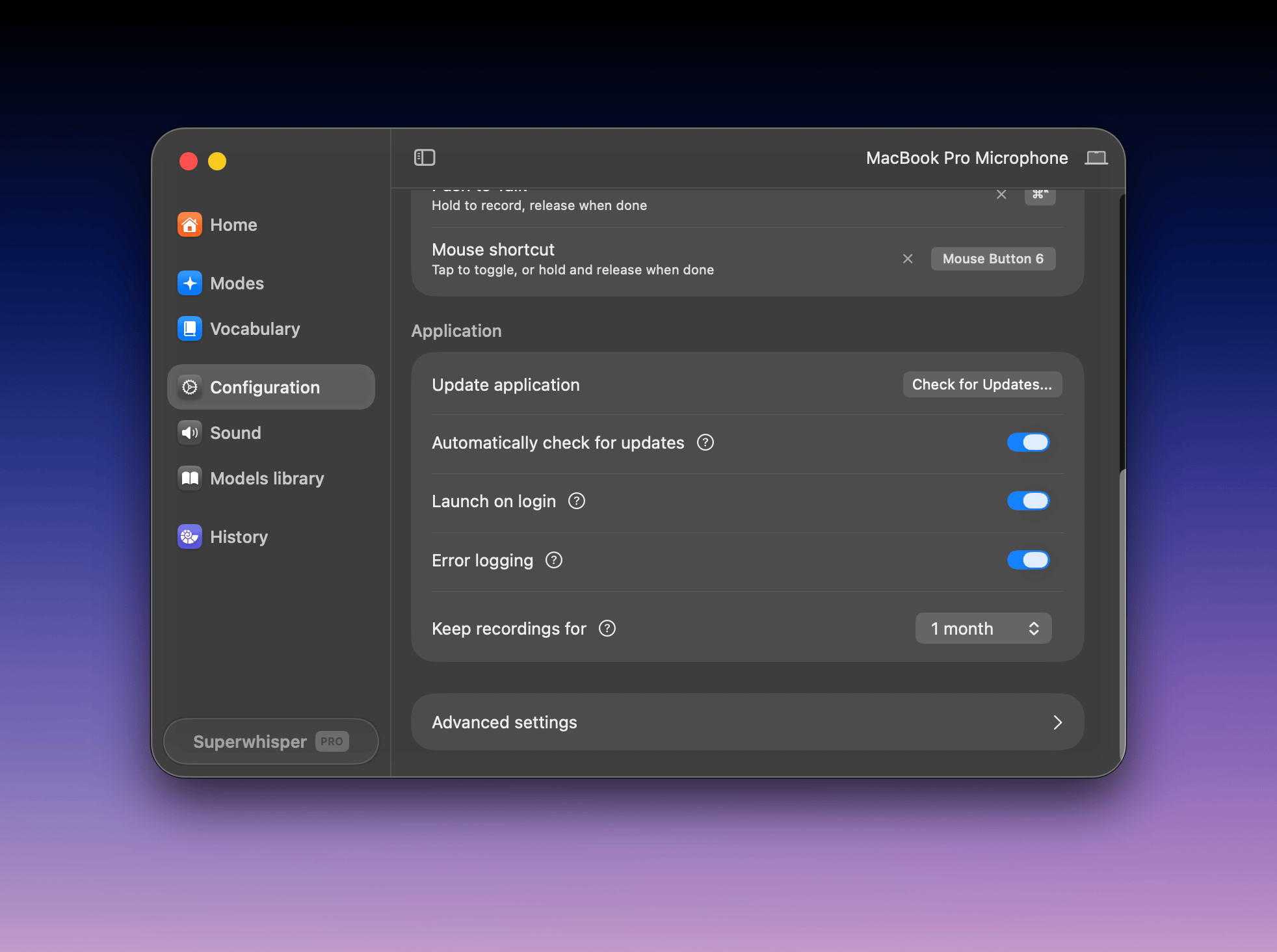
## Enable error logging
Turn on **Error logging** in **Settings → Configuration**. It records diagnostic detail the support team can read. Do this before you reproduce any problem you plan to report.
 ## Where your files live
| Platform | Location |
| -------- | ------------------------------------------------------------------------------------------------------------------------------------------------- |
| macOS | `~/superwhisper` in your home directory (older installs: `~/Documents/superwhisper`; custom locations in **Settings → Configuration → Advanced**) |
| Windows | `%LOCALAPPDATA%\com.superwhisper.app` |
| iOS | Inside the app. Recordings and modes are visible in the app's History and Settings |
The folder holds your history, recordings, modes, vocabulary, and replacements. [Back it up](/docs/get-started/backing-up-settings) before switching machines.
## Clean uninstall
**macOS:**
1. Quit Superwhisper (menu bar icon → Quit)
2. Delete **Superwhisper** from **Applications**
3. To remove your data too, delete the `~/superwhisper` folder (or your custom location). Skip this step to keep history and modes for a reinstall
**Windows:**
1. Uninstall Superwhisper from **Settings → Apps**
2. To remove your data too, delete `%LOCALAPPDATA%\com.superwhisper.app`. Skip this step to keep history and modes for a reinstall
Deleting the data folder is permanent: recordings, history, custom modes, and vocabulary go with it. Reinstalling the app alone never touches this folder.
## Report a bug
For the fastest fix:
1. Enable **Error logging** and reproduce the problem once
2. Follow [Report an Issue](/docs/get-started/history#report-an-issue) from inside the app
3. Include: your platform and app version, the mode and models involved, and what app you were dictating into
To roll back while a fix ships, install a previous version from [superwhisper.com/appcast.xml](https://superwhisper.com/appcast.xml).
## Where your files live
| Platform | Location |
| -------- | ------------------------------------------------------------------------------------------------------------------------------------------------- |
| macOS | `~/superwhisper` in your home directory (older installs: `~/Documents/superwhisper`; custom locations in **Settings → Configuration → Advanced**) |
| Windows | `%LOCALAPPDATA%\com.superwhisper.app` |
| iOS | Inside the app. Recordings and modes are visible in the app's History and Settings |
The folder holds your history, recordings, modes, vocabulary, and replacements. [Back it up](/docs/get-started/backing-up-settings) before switching machines.
## Clean uninstall
**macOS:**
1. Quit Superwhisper (menu bar icon → Quit)
2. Delete **Superwhisper** from **Applications**
3. To remove your data too, delete the `~/superwhisper` folder (or your custom location). Skip this step to keep history and modes for a reinstall
**Windows:**
1. Uninstall Superwhisper from **Settings → Apps**
2. To remove your data too, delete `%LOCALAPPDATA%\com.superwhisper.app`. Skip this step to keep history and modes for a reinstall
Deleting the data folder is permanent: recordings, history, custom modes, and vocabulary go with it. Reinstalling the app alone never touches this folder.
## Report a bug
For the fastest fix:
1. Enable **Error logging** and reproduce the problem once
2. Follow [Report an Issue](/docs/get-started/history#report-an-issue) from inside the app
3. Include: your platform and app version, the mode and models involved, and what app you were dictating into
To roll back while a fix ships, install a previous version from [superwhisper.com/appcast.xml](https://superwhisper.com/appcast.xml).