

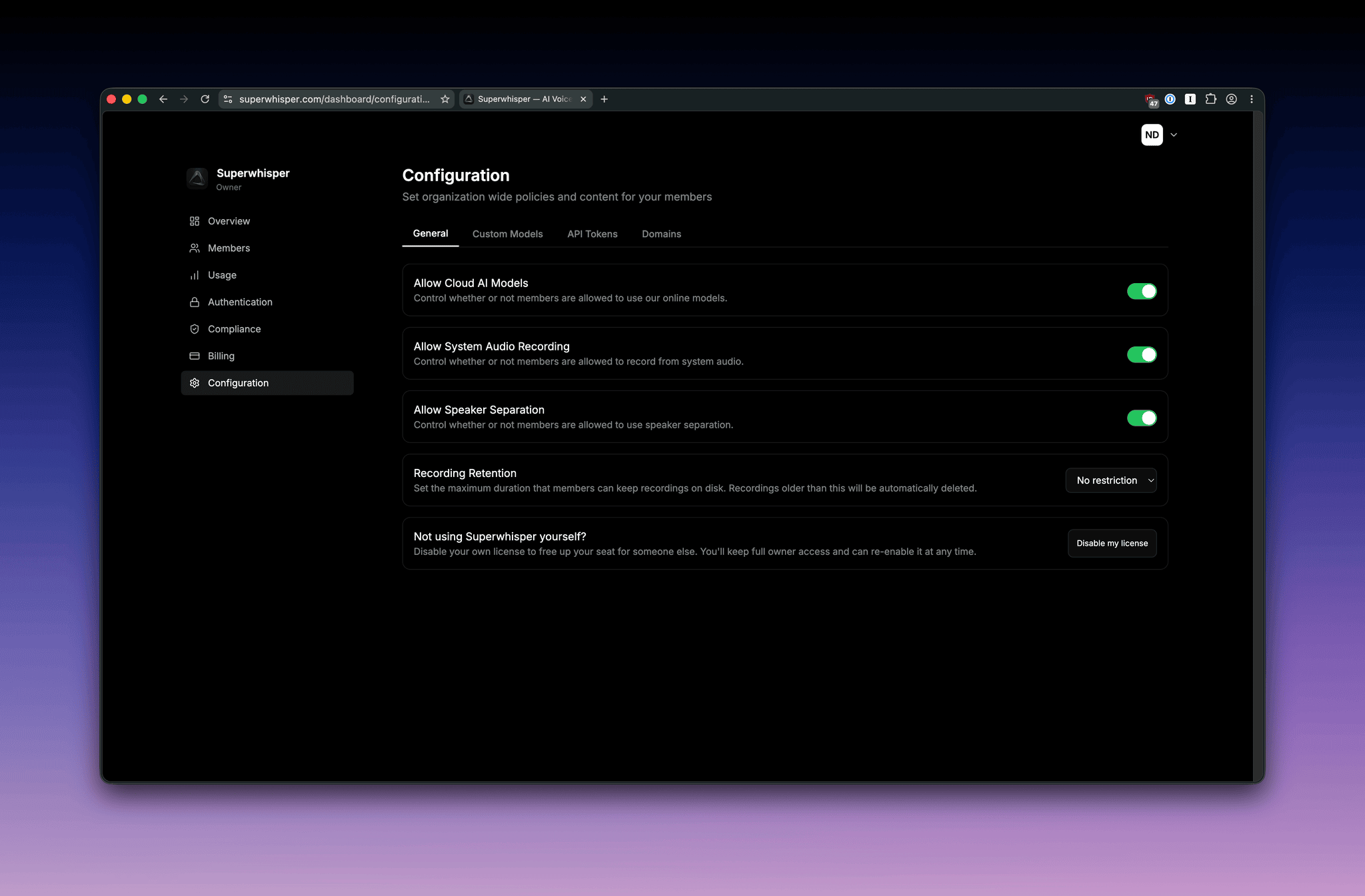
General settings
Allow cloud AI models
Controls whether members can use Superwhisper’s hosted cloud models.- On (default): members use Superwhisper’s cloud models with no extra configuration.
- Off: members are restricted to local models and any custom models you’ve configured, so all AI processing flows through vendors with your own API agreements.
Allow system audio recording
Controls whether members can record system audio (the audio their computer is playing) in addition to microphone input. Useful for capturing meeting audio; some organizations disable it for compliance or data-loss-prevention reasons. When off, members can only record from the microphone.Allow speaker separation
Controls whether members can use Speaker-Separated Meetings, which distinguishes between speakers in a recording. Disable this if your organization doesn’t want speaker diarization performed on recordings.Recording retention
Set the maximum duration that members can keep recordings on disk. Recordings older than this are deleted automatically by the app on each member’s machine. Available values: No restriction (default), 1 day, 1 week, 2 weeks, 1 month, 6 months, 1 year. Useful for organizations with data-minimization policies or retention requirements under GDPR, HIPAA, or internal data-governance standards.Retention enforcement runs on each member’s device. It applies to recordings stored locally by Superwhisper, not to anything members have exported or saved elsewhere.
Custom models
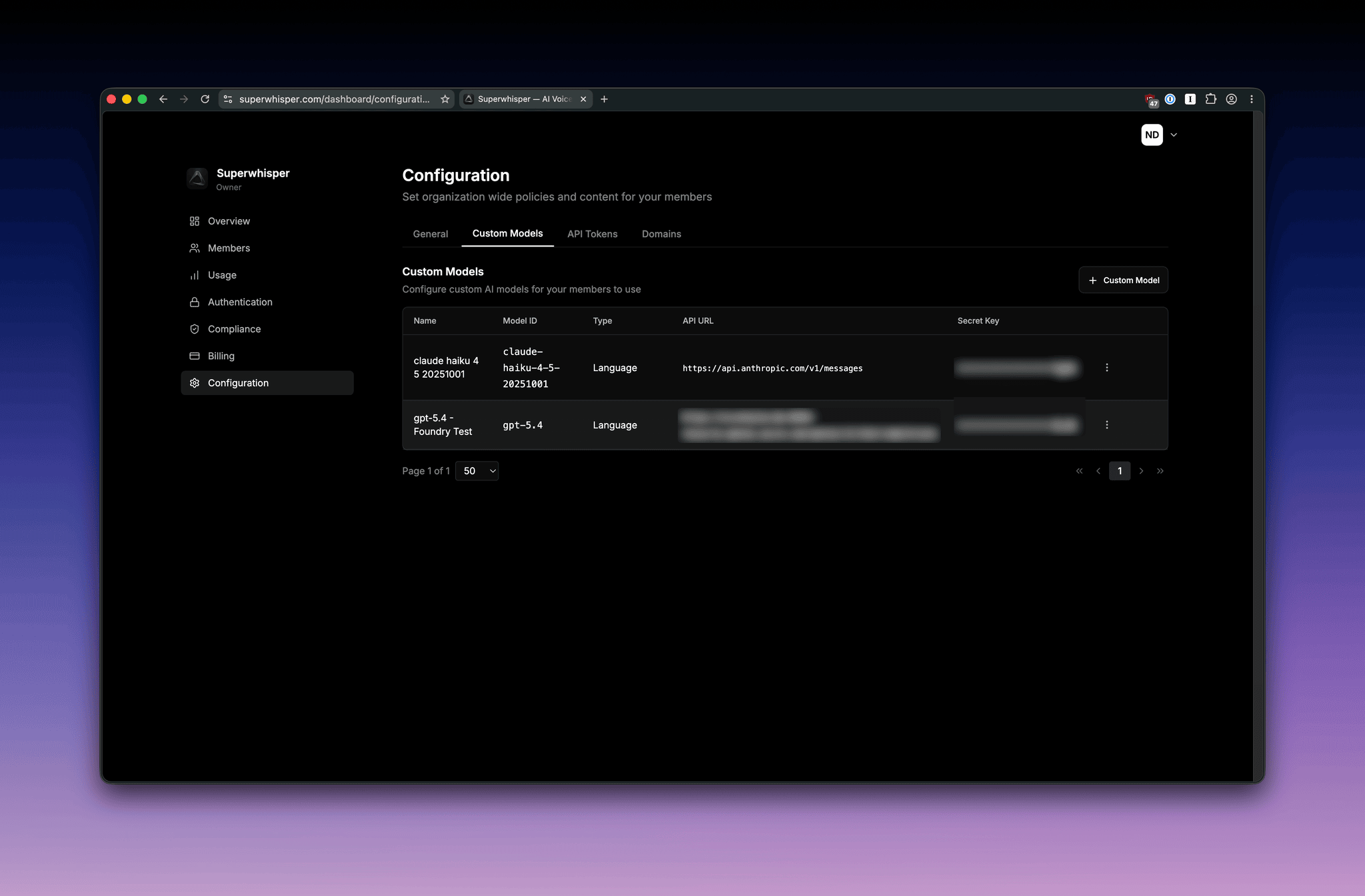
Custom models let your members use specific AI models from any provider you configure, with your organization’s own API credentials. Custom models apply to language models only, not voice models.Adding a custom model
- Open the Custom Models sub-section of the Configuration tab
- Click + Custom Model
- Select your provider from the dropdown, or Custom if it isn’t listed
- Enter your provider API key. Where possible, Superwhisper fetches the models your key can access
- Fill in the remaining details and save:
- Name: a friendly label members will see (for example, “GPT-5.2” or “Anthropic Testing”)
- Model ID: the provider’s model identifier (for example,
gpt-5.4-miniorclaude-sonnet-5) - API URL: the endpoint URL for the model API
Your API key is encrypted at rest. Each provider’s reference documentation is linked at the bottom of the create form.
Three ways to run models
- Cloud models only: Allow Cloud AI Models on, no custom models. This is the default and needs no configuration.
- Custom models only: Allow Cloud AI Models off, one or more custom models. All AI processing goes through your approved providers.
- Hybrid: both on. Members choose between Superwhisper’s hosted models and yours.
Troubleshooting custom models
Most custom model issues come from a mismatch between the API URL, the model ID, or the API key. Map the error to a likely cause:Azure OpenAI
- API URL format:
https://{resource-name}.openai.azure.com/openai/deployments/{deployment-name}/chat/completions?api-version=2024-02-15-preview - Model ID: use the deployment name you created in Azure AI Studio, not the underlying model name (e.g.,
gpt-5-2-mycompany, notgpt-5.2) - The deployment must be created and in
Succeededstate before adding it in Superwhisper
OpenAI-compatible endpoints
- API URL format: the base URL up to and including
/v1(e.g.,https://api.together.xyz/v1) - Model ID: the exact model slug from the provider’s docs
- The endpoint must implement
/chat/completionsto work with Superwhisper
Self-hosted endpoints
- The endpoint must be publicly reachable from the user’s machine. Endpoints behind a corporate VPN will only work for users on that VPN
- TLS is required. HTTP-only endpoints won’t connect
API tokens
The API Tokens sub-section manages tokens for the Enterprise API. See the API overview.How settings propagate
Configuration changes apply the next time a member launches Superwhisper. Members already in the app keep their current session until they restart. No member action is required beyond restarting the app.Related
- Amazon Bedrock: configure Bedrock as a custom model provider
- Usage analytics: opt-in visibility into how your team uses Superwhisper
- Sensitive data best practices: implications of cloud vs. local model choices