

If you bought through the iOS App Store or Google Play, the store handles your billing instead. See Manage an App Store subscription or Manage a Google Play subscription.
Cancel your subscription
- Open superwhisper.com/billing and sign in
- Choose Cancel subscription
- Pro features stay active until the end of your current billing period, then your account moves to Free
- Your custom modes, vocabulary, and history stay on your device; if you subscribe again, everything is where you left it
Get a refund
All individual plans (Monthly, Annual, and Lifetime) have a 30-day refund window from the date of first purchase. Refunds for purchases made on superwhisper.com are self-serve.- Open the refund request form
- Enter the email you purchased with. Telling us why is optional.
- Confirm the refund from the link we email you
- Renewal charges are not refundable on their own, because the window starts at your first purchase. Cancel before your renewal date if you don’t want to renew.
- If your request is declined and you think your case is an exception, email support@superwhisper.com.
Invoices and receipts
Download current and past invoices from superwhisper.com/billing. To add company details or a VAT ID to your invoice, email support@superwhisper.com with what should appear on it.Switch plans
- Monthly ↔ Annual: switch anytime in the billing portal. Annual saves about 17%.
- Move to Lifetime: buy Lifetime at the Lifetime checkout, then email support@superwhisper.com from the same address; we refund the unused portion of your existing subscription.
- Downgrade to Free: cancel your subscription; your account moves to Free at the end of the period. You won’t lose your data.
Manage an App Store subscription
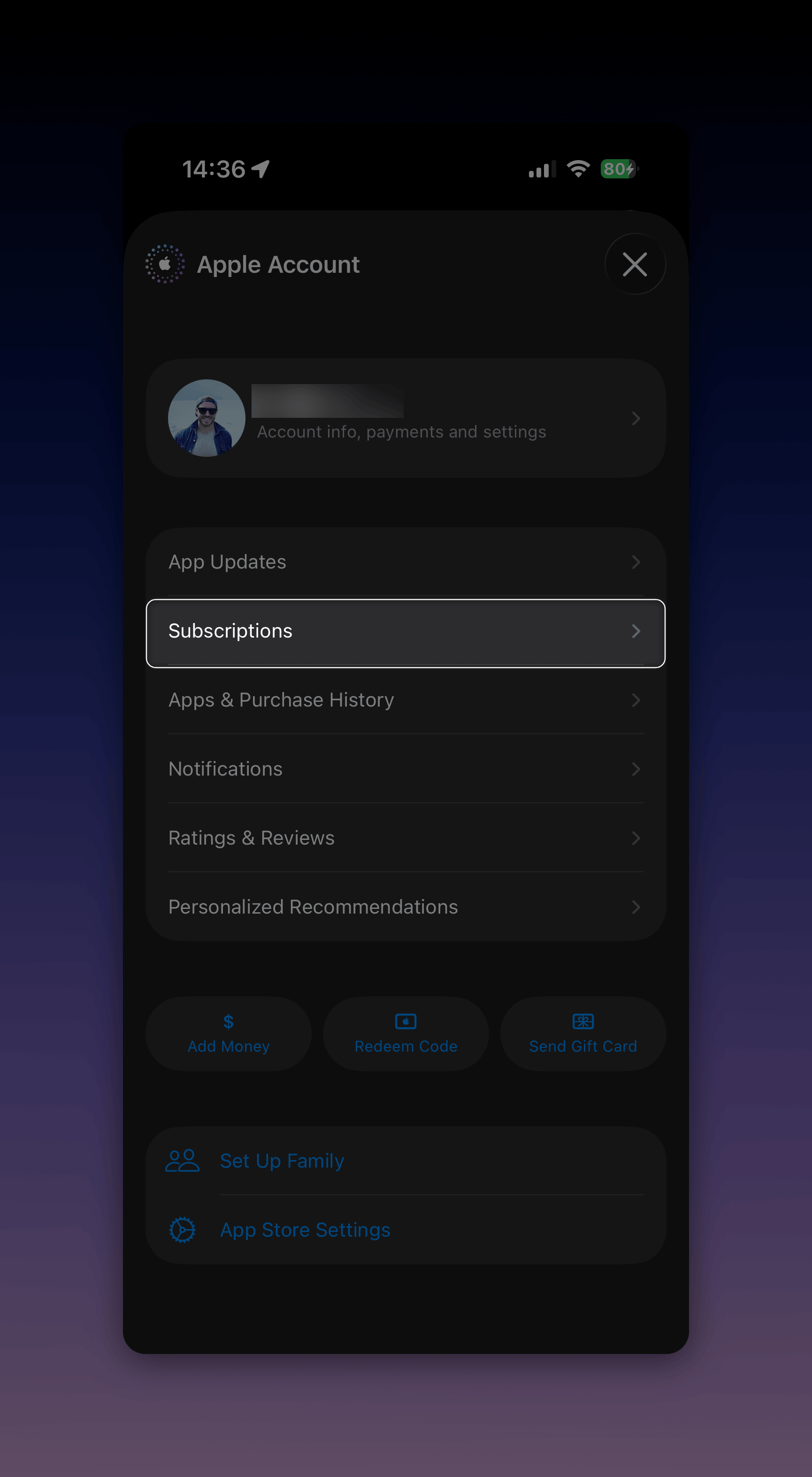
If you purchased Superwhisper through the iOS App Store, Apple handles your billing. The billing portal above can’t see or change your subscription, and neither can we. Cancel or manage it through your Apple account:- On your iPhone, open the App Store and tap your profile picture
- Tap Subscriptions
- Select Superwhisper to cancel or change the plan
Manage a Google Play subscription
If you purchased Superwhisper through Google Play, Google handles your billing. The billing portal above can’t see or change your subscription, and neither can we. Cancel or manage it through your Google account:- On your Android phone, open the Play Store and tap your profile icon
- Tap Payments & subscriptions, then Subscriptions
- Select Superwhisper to cancel or change the plan
Enterprise plans
- Cancel an Enterprise trial: the org admin signs in to the Enterprise dashboard → Billing → Manage Subscription → Cancel.
- Move from an Enterprise seat to an individual plan: open Superwhisper, click Superwhisper Pro (bottom-left), and click Unlink device. Then buy an individual plan or email support@superwhisper.com to reactivate a previous license.
- Enterprise subscriptions are not eligible for self-serve refunds. Contact your account manager or enterprise@superwhisper.com.